
OnlyFans bills on a continuous 30-day cycle, not a calendar month, which is why charges often land on dates that feel random. The platform mechanics behind partial billing explain the gaps between what subscribers expect to pay and what actually appears on a statement. Once you understand how the access window, renewal anniversaries, and price changes interact, the numbers stop looking like errors. Guides from BestOnlyFans ranking sites often mention this, but the underlying calculation rules rarely get a full explanation.
A subscription does not begin on the first of the month and end on the last day. It begins at the exact moment of payment and runs forward for a fixed number of days. Everything else — proration, partial charges, renewal shifts — follows from that single design choice. BestOnlyFans refreshes its rankings every month.

Why Standard Monthly Billing Assumptions Break
Most subscribers carry a mental model borrowed from streaming services: a fixed charge on a fixed date for a fixed month. OnlyFans does not work that way. The billing engine tracks a rolling access period, and that period can start, pause, and restart at any hour of any day.

Four common assumptions fail in practice, and each one produces a charge that looks wrong until you trace the timeline.

- Calendar-month budgeting: a subscriber sets aside a fixed amount per month, but the platform charges every 30 days, producing 12.17 charges in a calendar year rather than 12.
- Price increases without proration: a creator changes the rate mid-period, auto-renew stops, and the subscriber assumes the new price applies immediately with a partial charge.
- Promotional first months: a discounted first month creates an anchor price the subscriber expects to continue, while the second charge reverts to the base rate.
- Bundle purchases: a multi-month prepayment hides the true monthly equivalent, so the next single charge feels larger than expected.
None of these are billing faults. They are the predictable output of a continuous-cycle system layered on top of human calendar habits.
How OnlyFans Calculates the 30-Day Access Window
If you subscribe at 4:12 p.m. on a Tuesday, your renewal attempt fires at roughly 4:12 p.m. The calendar date shifts every month.
The calculation sequence follows a fixed order:
- The exact timestamp of the initial payment becomes the renewal anniversary for the life of the subscription.
- Each renewal charges in advance for the next 30 days of access, not for days already used.
- If a renewal attempt fails, access is suspended within roughly 24 hours until payment succeeds.
- A successful late renewal starts a brand-new 30-day window from that payment moment, moving every future anniversary.
That fourth rule explains most date drift. A card that declines once and succeeds two days later permanently shifts the billing date by two days. Repeat that twice in a year and your monthly charge now lands nearly a week away from where it started.
If your renewal date keeps moving, check your payment history for a declined attempt. A single failed charge followed by a successful retry resets the entire 30-day clock, and the shift is permanent for that subscription.
Price Increase Mechanics and Auto-Renew Cancellation
When a creator raises their subscription price, the platform does not charge the new rate to existing subscribers mid-period. Instead, auto-renew switches off. Your current access continues to the end of the period you already paid for, at the price you already paid.
The practical effects break down into four points:
- No immediate access loss: the remainder of the paid period stays fully accessible.
- Original price honored: the creator cannot retroactively charge the higher rate for time already covered.
- Manual re-subscription required: continuing after the period ends means subscribing again at the new price.
- Advance warning exists: price history tracking on ranking platforms such as the best onlyfans influencer comparison pages often shows a creator’s pattern of increases before they happen.
This design protects subscribers from surprise mid-cycle charges, but it also means a price increase silently ends your subscription. If you do not notice the auto-renew change, access simply stops at period end rather than continuing at the new rate.

Mid-Subscription Downgrades and Access Continuity
Subscribers sometimes ask whether cancelling early produces a partial refund for unused days. It does not. The platform does not prorate subscriber-initiated cancellations, and it does not issue refunds for the remainder of a paid period.
What actually happens depends on which party triggered the change. The table below contrasts the four most common scenarios.
| Action Taken | Billing Result | Access Outcome |
|---|---|---|
| Subscriber cancels the subscription | No refund; no further charges | Access runs to the end of the paid period |
| Creator raises the price | Auto-renew stops; no new charge | Access runs to the end of the paid period |
| Bundle period expires | No charge until renewal decision | Access ends unless a new plan is purchased |
| Payment failure on renewal | Charge does not complete | Access suspends within about 24 hours |
The pattern is consistent: money already spent buys time already granted, and nothing is recalculated afterward. Cancelling is therefore best understood as stopping the next charge, not as ending the current one.
Bundle Prepayments and Renewal Date Shifts
Some creators offer multi-month bundles that charge once and extend access for a longer block. The billing engine treats the bundle as one payment covering one extended window, which changes the renewal math entirely.
- A multi-month extension pushes the true renewal far beyond the calendar date a subscriber expects, sometimes by several months.
- Cancelling mid-bundle produces no partial refund; the remaining access simply runs out at the bundle’s end.
- Price tracking pages may show gaps during bundle periods if the creator does not update display pricing while the bundle is active.
A subscriber who pays for six months upfront and then divides that figure by six gets a monthly equivalent, but the platform never charges that amount monthly. When the bundle ends and a standard monthly subscription begins, the new charge can look inflated compared to the mental average.
For creators, bundles serve a different purpose. They lock in revenue upfront and reduce churn during the bundle window, since cancelling early returns nothing. For subscribers, that same structure removes flexibility, so the tradeoff should be weighed before committing to a long block.
Verification Holds and Their Impact on Billing Perception
Before a card is accepted for subscription billing, the platform may place a small verification hold. This is a standard authorization check, not a charge, and it is refunded within days. The amount is $0.10.
Because the hold appears on a statement alongside real charges, subscribers frequently mistake it for duplicate billing or a hidden fee. The table below separates the common transaction types by amount and how long each lingers on a statement.
| Transaction Type | Amount | Duration on Statement |
|---|---|---|
| Standard subscription charge | $4.99 to $49.99 base | Posts normally; permanent debit |
| Promotional first month | Can dip below $4.99 | Posts normally; next charge reverts to base |
| Verification hold | $0.10 | Temporary; refunded within days |
| PPV message unlock | Up to $50 | Posts normally; permanent debit |
Note the distinction between base prices and promotional pricing. A paid base subscription never sits below $4.99, but a first-month promotion can. That gap is the single most common source of why-did-my-second-charge-go-up confusion.
Watch for the $0.10 hold after adding a new card. If you see it, do not dispute it — it clears automatically, and disputing it can flag the card and interrupt active subscriptions.
Newer subscribers often lack context for the hold because it arrives at the same moment as a real charge. Reading the statement line by line, rather than the total, makes the distinction obvious within a few days.
Reconciling Actual Charges Against Your Monthly Budget
Aligning real charges with a monthly budget requires abandoning the calendar month as the unit of measurement. Track the actual renewal timestamps instead, and build the budget around a rolling 30-day flow.
- List every actual renewal timestamp rather than the calendar dates you assumed.
- Calculate a true monthly equivalent for any bundle purchased, using the full bundle price divided by its month count.
- Anticipate creator price change windows by watching how stable a creator’s displayed price has been over recent months.
- Set wallet or card limits aligned to the real cycle flow, not to an idealized monthly figure.
- Review total spend quarterly rather than strictly monthly, since 30-day cycles create 12.17 charges a year.
Beyond the base subscription, several separate charges can appear in the same billing period. PPV messages unlock up to $50 each, paid chat commonly runs $3 to $5 per message, and tips can reach $100. None of these follow the 30-day cycle, so they land on top of it unpredictably.
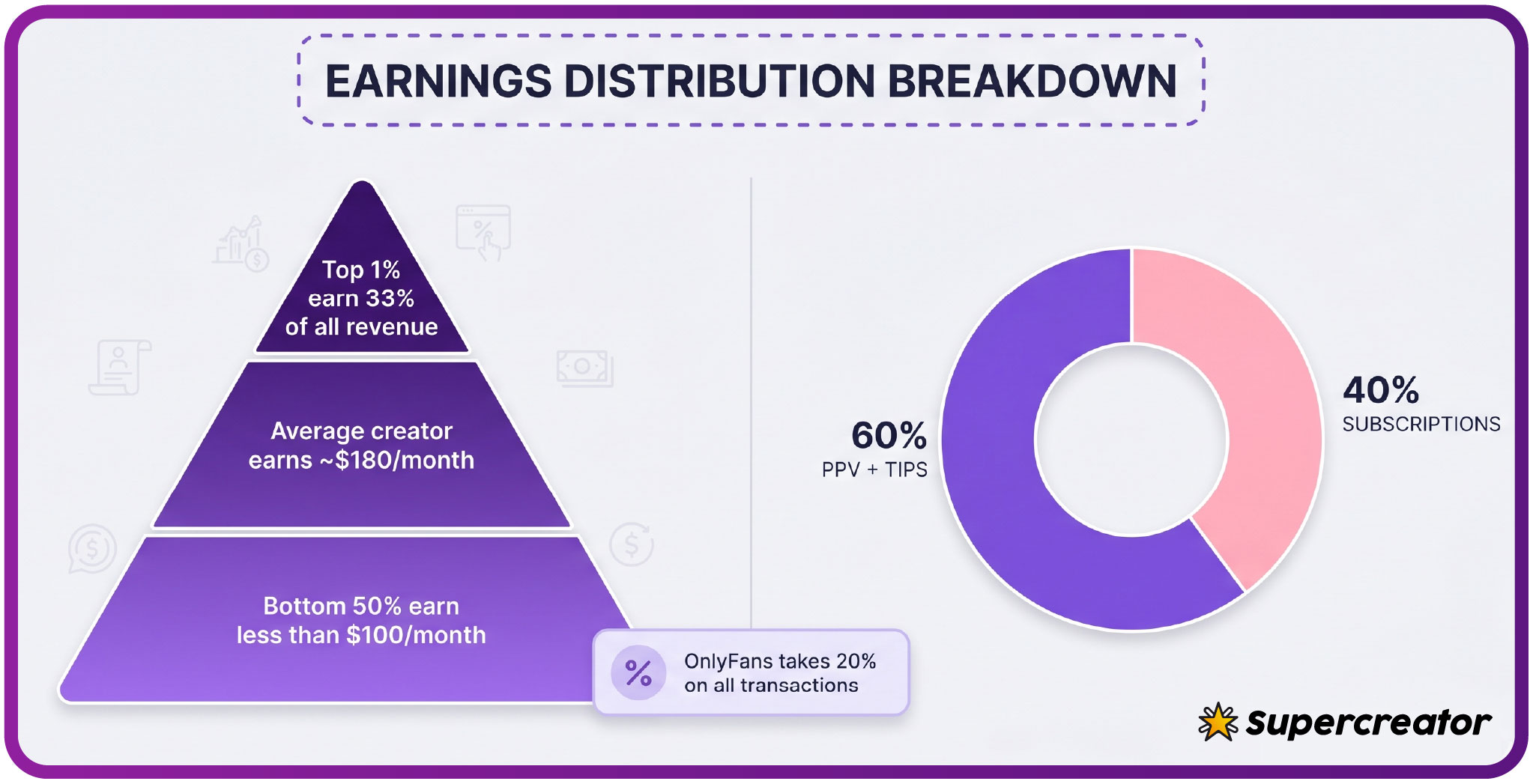
The platform also takes a 20% fee on all creator revenue, meaning the creator receives 80%. That split does not affect what a subscriber pays, but it explains why creators set base prices at the higher end of the $4.99 to $49.99 range and lean on PPV and tips for additional income. Typical paid subscriptions cluster between $4.99 and $15, with most averaging $5 to $10. The BestOnlyFans ranking methodology accounts for this range when it displays average price bands.

FAQ
If a creator raises price, do I pay the new rate immediately?
No. A price increase stops auto-renew rather than applying the new rate mid-period. Your existing access continues to the end of the period you already paid for at the original price. To continue afterward, you subscribe again manually at the higher rate.
Why does my OnlyFans renewal sometimes charge on different calendar dates?
The cycle runs on a continuous 30-day window starting from the exact moment of your first payment. Any failed renewal followed by a successful retry resets that window, permanently shifting the anniversary. Two or three such events in a year can move your charge date by nearly a week.
Can I get money back for unused days if I cancel early?
No. Cancelling stops future charges but does not produce a prorated refund for the remainder of the paid period. Access continues until the period ends, and the money already spent stays spent.
Do bundle purchases save money compared to monthly renewals?
Not automatically. A bundle may offer a lower effective rate per 30 days, but it also locks funds upfront with no partial refund if you cancel early. Compare the bundle’s true monthly equivalent against the standard rate before deciding.
